---
title: How are DSP sales attributed and how do I read my results?
description: How Amazon attributes DSP sales, and how to read the DSP page and the strategy tabs in m19.
---
[Skip to content](https://help.m19.com/how-are-dsp-sales-attributed-and-how-do-i-read-my-results#main-content)
English
Show submenu for translations
[Need more help?](https://help.m19.com/kb-tickets/new)
![m19-transparent.png\]](https://help.m19.com/hs-fs/hubfs/m19-transparent.png?height=50&name=m19-transparent.png)
Open main navigation
Close main navigation
- English
Show submenu for translations
- [Need more help?](https://help.m19.com/kb-tickets/new)
- [m19.com](https://www.m19.com/)
[m19.com](https://www.m19.com/)
Help will always be given at M19 to those who ask for it.
- There are no suggestions because the search field is empty.
1. [Help Center](https://help.m19.com/)
2. [Dashboard & Features 💻](https://help.m19.com/dashboard-features)
3. [Strategies](https://help.m19.com/dashboard-features#strategies)
# How are DSP sales attributed and how do I read my results?
## How Amazon attributes DSP sales, and how to read the DSP page and the strategy tabs in m19.
### Where to read DSP results
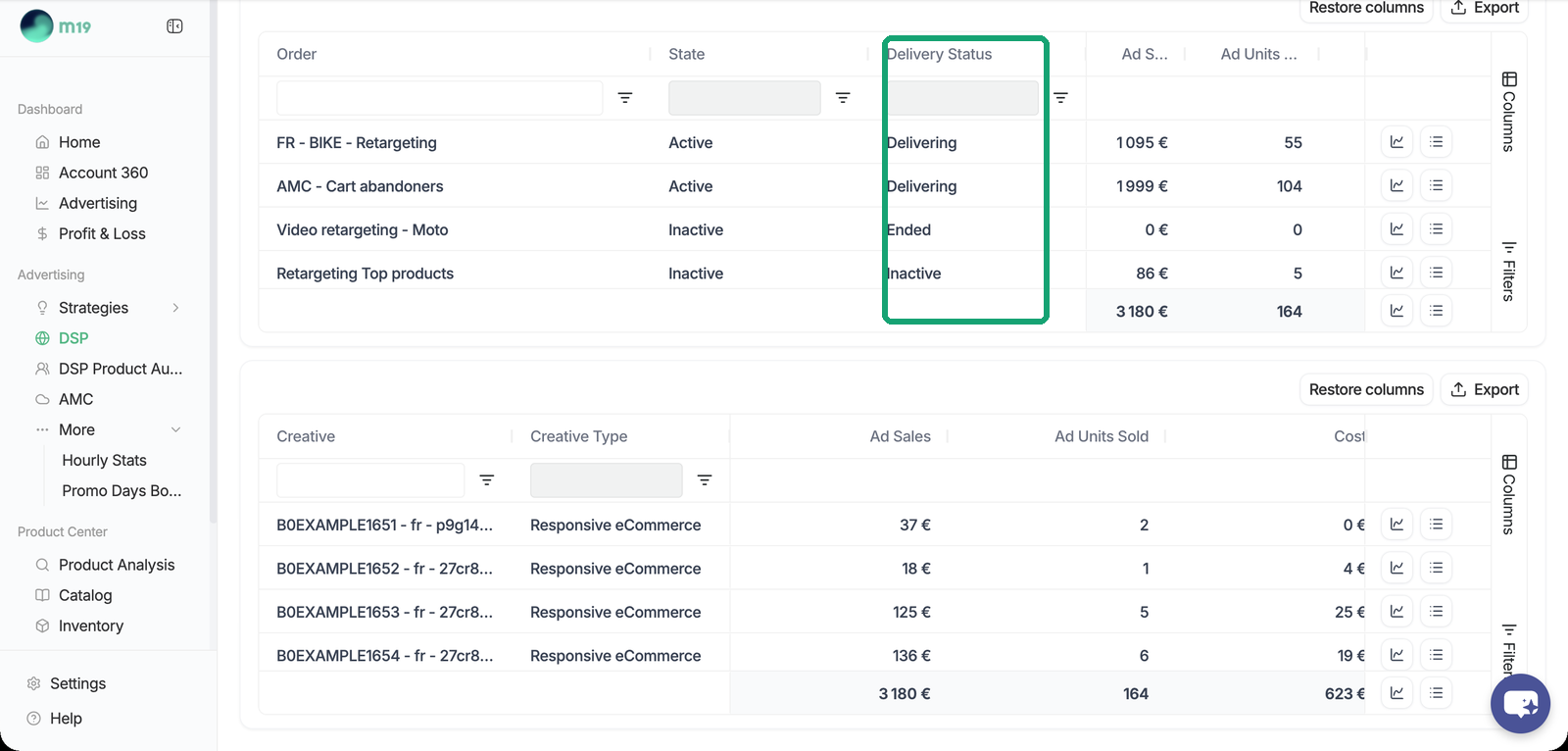
The DSP page shows your global KPIs, a chart with period comparison and a table per strategy (order) and per creative, with CSV export. Metrics include Ad Sales, Units Sold, Cost, ACOS, ROAS, CPM, Impressions, Clicks, Purchases, Add to Cart, Page Views, New-to-Brand Sales and video quartiles. Reach and frequency are not reported.
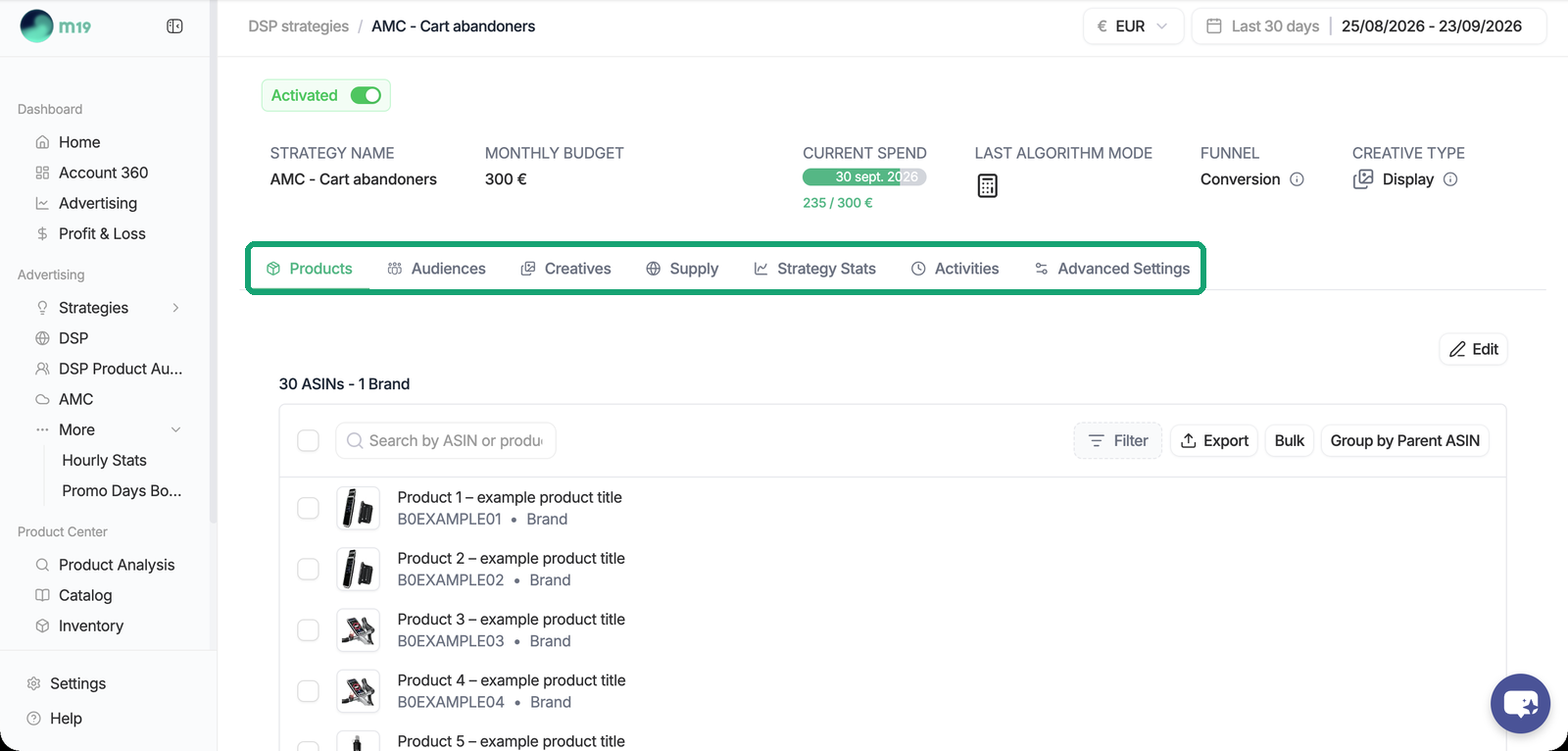
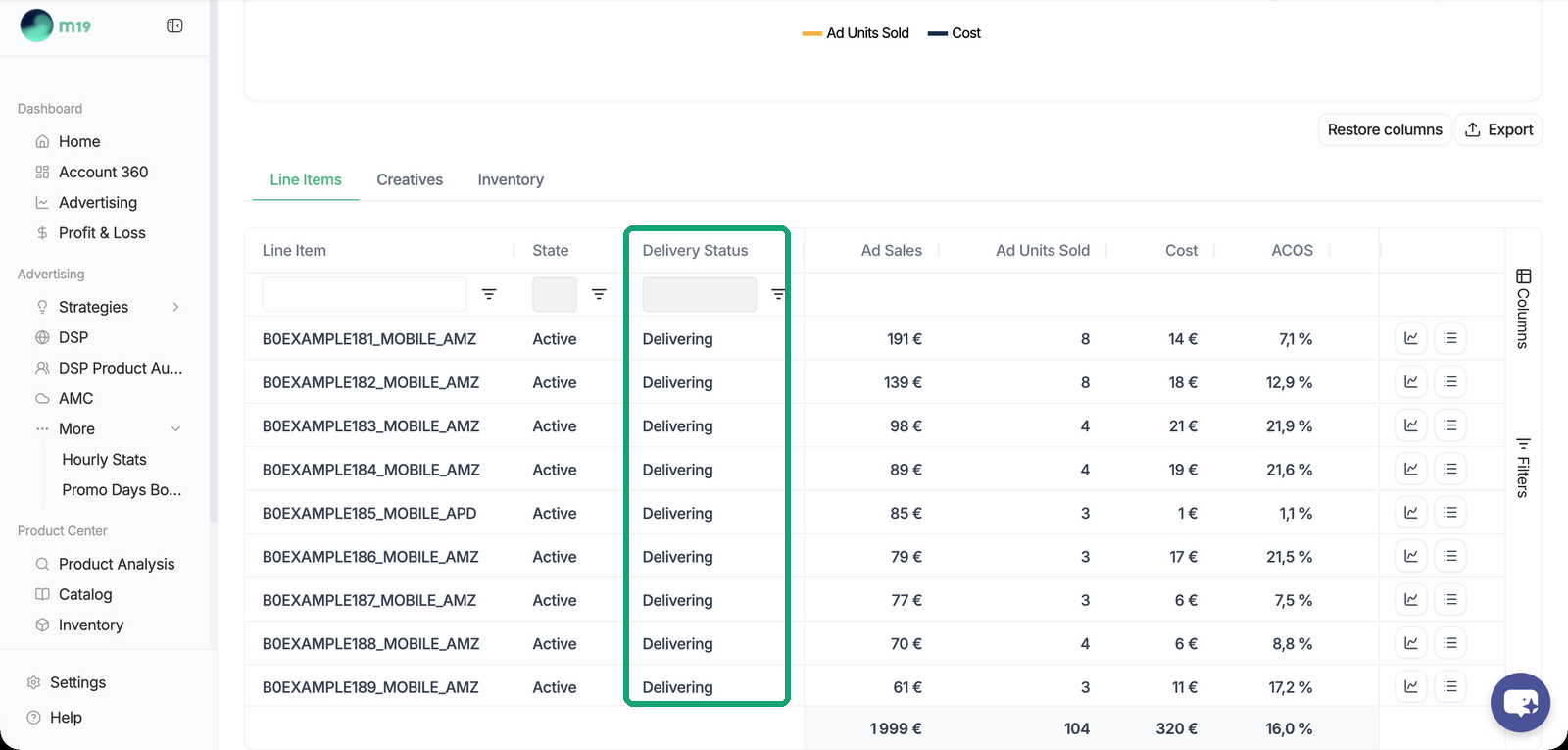
Each strategy page has Strategy Stats, Creatives and Supply tabs. Strategy Stats lists the line items with their delivery status (Delivering, Not delivering, Ended, Suspended).
For a unified view across SP, SB, SD and DSP, go to Dashboard \> Advertising.
### How a sale is attributed
Your whole catalog is tracked on the order: the strategy ASINs as Featured, every other catalog product as Not Featured. Amazon credits a sale on any tracked product within 14 days of a view or a click on the ad. This is why an Awareness strategy shows Ad Sales even though its video shows no product.
### Why the DSP ACOS is not comparable to a Sponsored Products ACOS
Sponsored Products also attributes sales of other catalog ASINs after a click, so the brand halo is not the difference. DSP attribution is more generous: it credits a sale after a view of the ad, not only after a click, and DSP sales are not always deduplicated against Sponsored Ads sales, so the same purchase can be credited to both. Read the two ACOS separately.
### Data freshness and discrepancies
- 90 days of history are imported. Amazon re-attributes sales over 14 days, so the Ad Sales of the last two weeks can still move.
- Metrics in m19 and in the Amazon DSP console may differ slightly. Amazon DSP is the authoritative source for billing.
- Unlike SP, SB and SD, DSP strategies do not pause automatically when an ASIN goes out of stock. Pause the strategy manually if needed.
- [Admin ⚙️](https://help.m19.com/admin-%EF%B8%8F#main-content)
- [Account](https://help.m19.com/admin-%EF%B8%8F#account)
- [Billing](https://help.m19.com/admin-%EF%B8%8F#billing)
- [Getting Started 🚀](https://help.m19.com/getting-started#main-content)
- [M19 Encyclopedia](https://help.m19.com/getting-started#m19-encyclopedia)
- [Dashboard & Features 💻](https://help.m19.com/dashboard-features#main-content)
- [Strategies](https://help.m19.com/dashboard-features#strategies)
- [Products](https://help.m19.com/dashboard-features#products)
- [Metrics](https://help.m19.com/dashboard-features#metrics)
- [Traffic management](https://help.m19.com/dashboard-features#traffic-management)
- [Budget management](https://help.m19.com/dashboard-features#budget-management)
- [Events](https://help.m19.com/dashboard-features#events)
- [Tools](https://help.m19.com/dashboard-features#tools)
- [New Features](https://help.m19.com/dashboard-features#new-features)
- [Analysis & Performance Hub 🧠](https://help.m19.com/analysis-performance-hub#main-content)
- [Catalog](https://help.m19.com/analysis-performance-hub#catalog)
- [Strategies and campaigns](https://help.m19.com/analysis-performance-hub#strategies-and-campaigns)
- [Data wrangling](https://help.m19.com/analysis-performance-hub#data-wrangling)
- [Amazon Connections ⛓️](https://help.m19.com/amazon-connections-%EF%B8%8F)
- [Best practices 👑](https://help.m19.com/best-practices#main-content)
- [Advanced Strategies](https://help.m19.com/best-practices#advanced-strategies)
- [Analysis](https://help.m19.com/analysis)
- [Updates and New Releases](https://help.m19.com/updates-and-new-releases)
[](https://www.m19.com/)
Copyright © 2026, m19