---
title: How do I create a DSP strategy?
description: "Create a DSP strategy with the wizard: funnel, budget, creatives, audiences and ASINs, including Awareness video strategies."
---
[Skip to content](https://help.m19.com/how-do-i-create-a-dsp-strategy#main-content)
English
Show submenu for translations
[Need more help?](https://help.m19.com/kb-tickets/new)
![m19-transparent.png\]](https://help.m19.com/hs-fs/hubfs/m19-transparent.png?height=50&name=m19-transparent.png)
Open main navigation
Close main navigation
- English
Show submenu for translations
- [Need more help?](https://help.m19.com/kb-tickets/new)
- [m19.com](https://www.m19.com/)
[m19.com](https://www.m19.com/)
Help will always be given at M19 to those who ask for it.
- There are no suggestions because the search field is empty.
1. [Help Center](https://help.m19.com/)
2. [Dashboard & Features 💻](https://help.m19.com/dashboard-features)
3. [Strategies](https://help.m19.com/dashboard-features#strategies)
# How do I create a DSP strategy?
## Create a DSP strategy with the wizard: funnel, budget, creatives, audiences and ASINs, including Awareness video strategies.
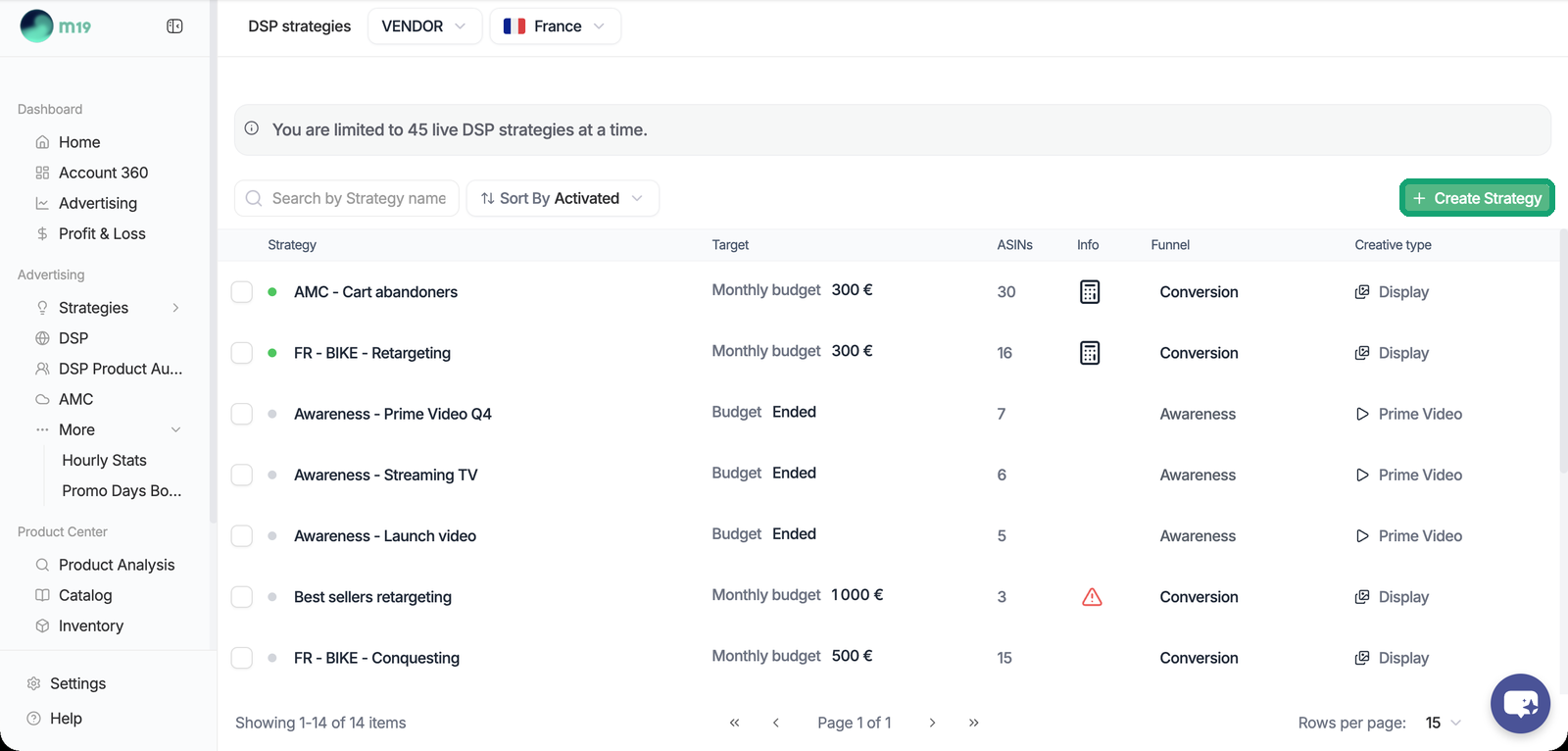
Go to Advertising \> Strategies \> DSP and click Create Strategy. The form has six steps: Info, Funnel, Budget, Creatives, Audiences and ASINs. You describe a goal, a budget and products; m19 builds and drives the whole Amazon structure for you (order, line items, bids, pacing). You never set a bid, a device or a placement.
### Choose a funnel
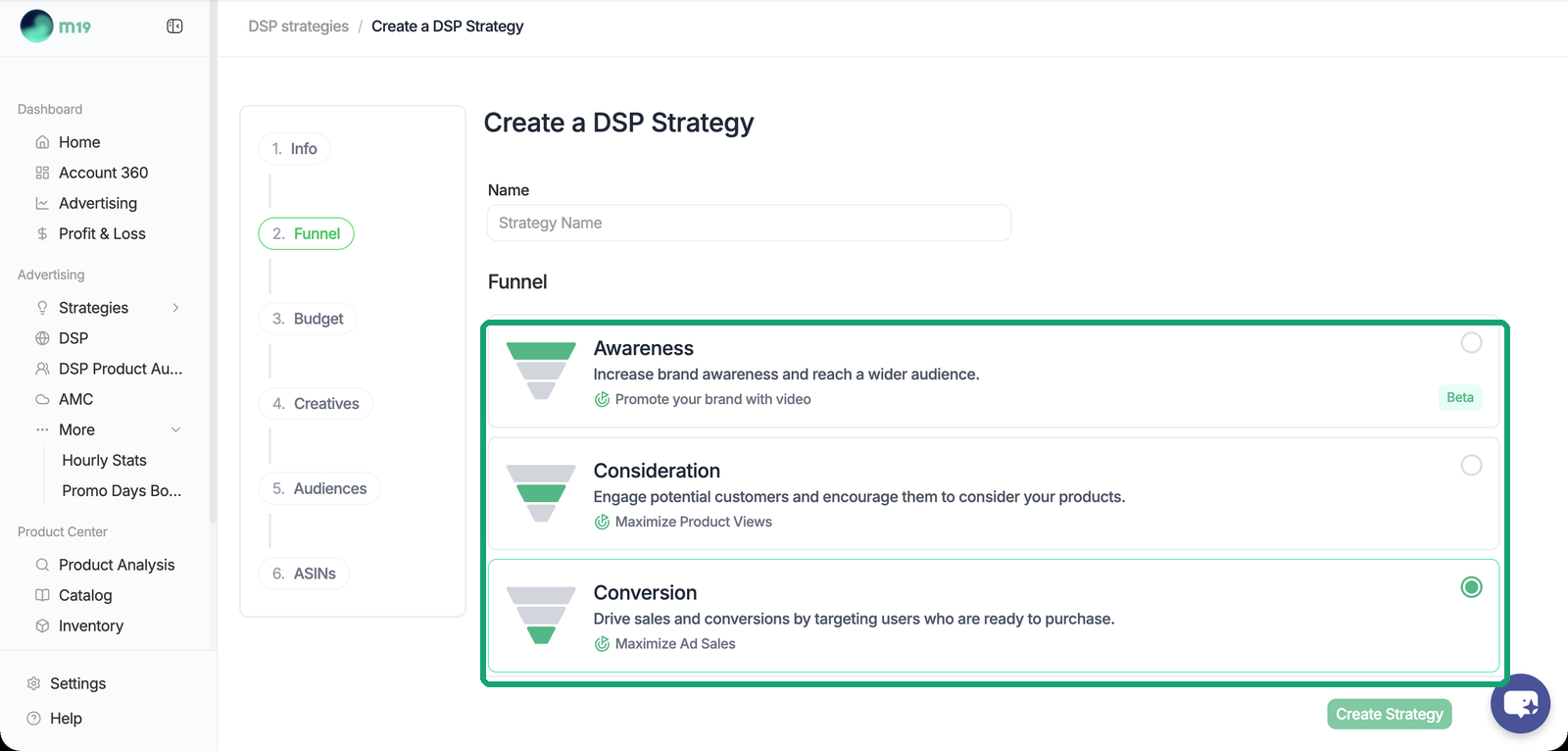
- **Conversion: maximize ad sales.** The most common choice. Retarget shoppers who viewed your products, conquest shoppers browsing similar products, or reach high-intent searchers. m19 predicts the revenue each impression is likely to generate (per ASIN, site, format and device) and bids accordingly, within your monthly budget.
- **Consideration: maximize product views.** Best for launches or products with little sales history. m19 predicts the detail page views and clicks each impression is likely to generate.
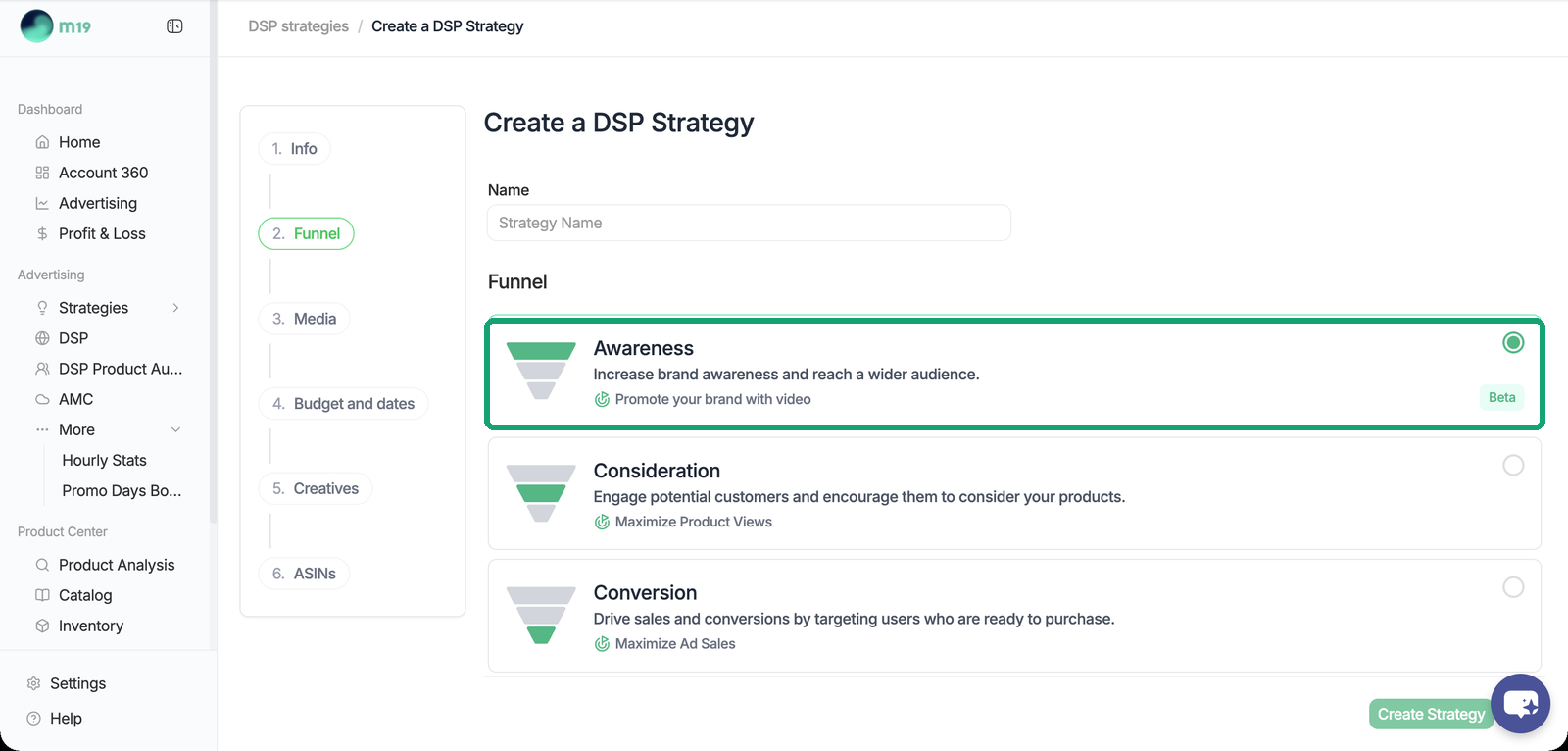
- **Awareness (Beta): promote your brand with video.** A brand video on Streaming TV or inside Prime Video content, with a budget spread over a set period. The ad carries no product. See the second part of this article.
### Set the budget
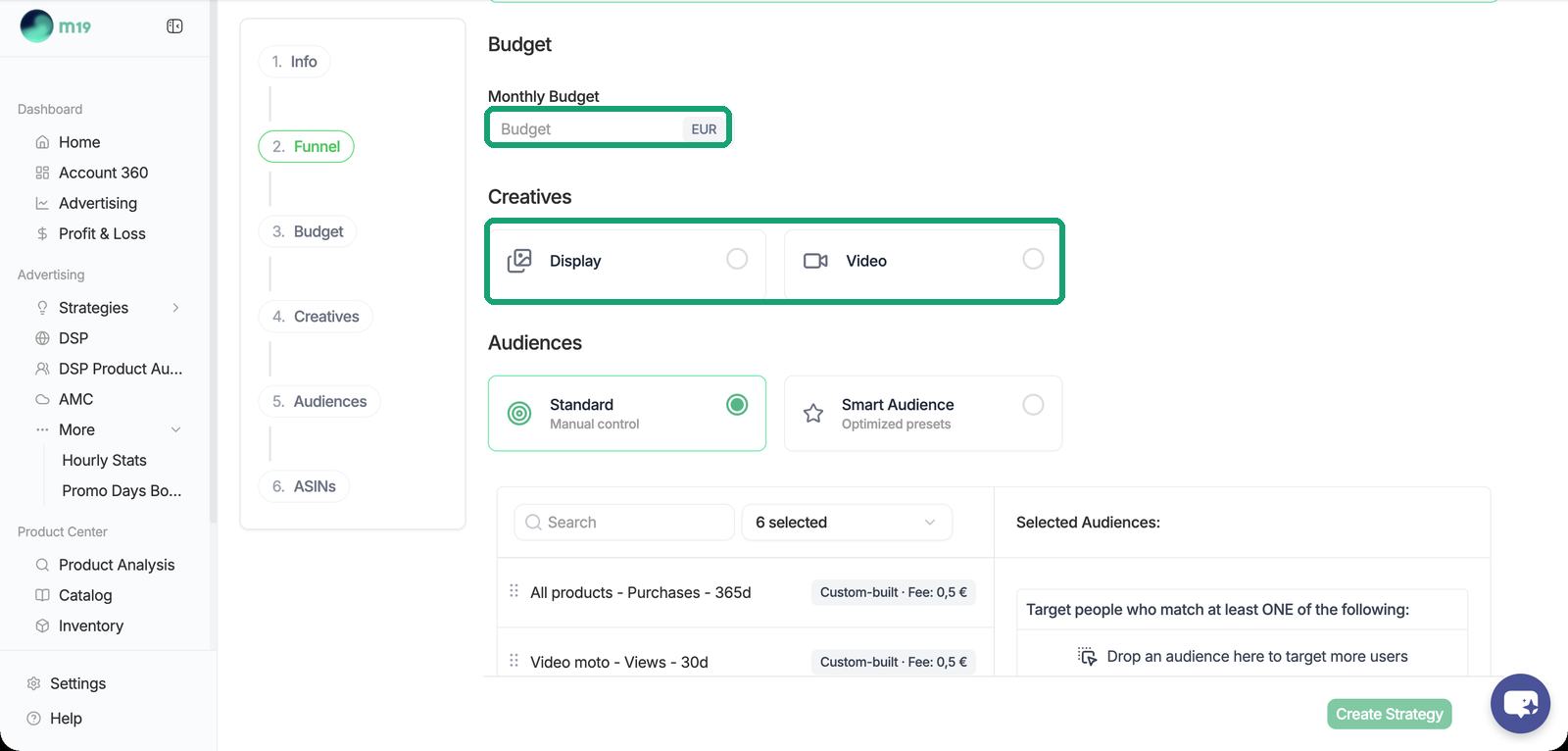
Consideration and Conversion strategies use a **monthly budget**. The strategy runs until you pause it. m19 paces the spend day by day from what is left in the month, with a daily cap at 110% of the computed daily budget, so a slow start is caught up later in the month. A change mid-month applies to the remaining days; the next month can be set in advance.
There is no ACOS or TACOS target on DSP strategies: the budget is the lever, m19 spends it as efficiently as possible.
### Pick the creatives and the audiences
Choose Display or Video, then Standard or Smart Audience. Details in [DSP creatives](https://help.m19.com/dsp-creatives-responsive-ecommerce-custom-banners-and-video) and [DSP audiences](https://help.m19.com/dsp-audiences-standard-mode-smart-audiences-and-product-audiences).
### Select the ASINs
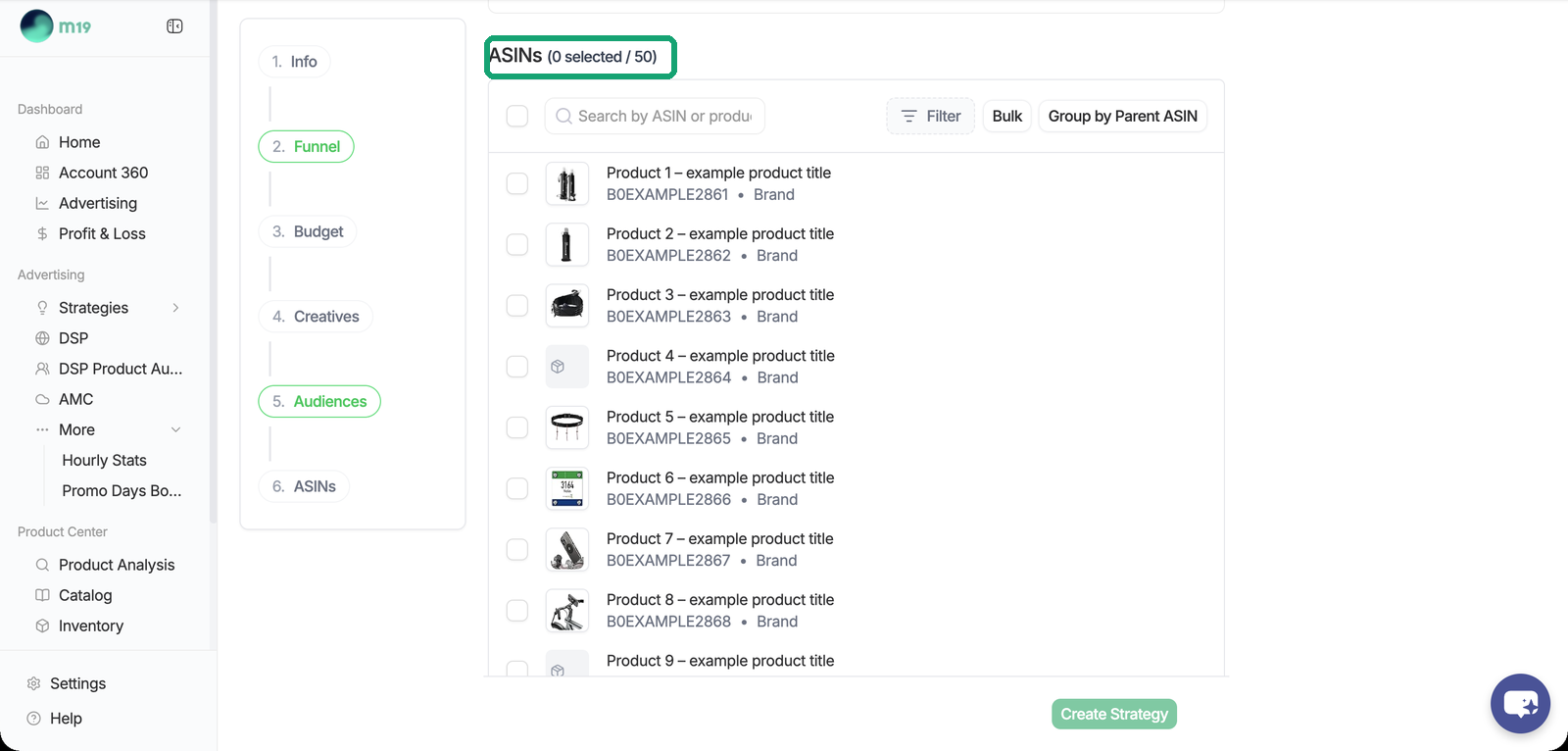
Pick 1 to 50 products from your catalog. The same ASIN can be used in several strategies. In Conversion and Consideration, each ASIN gets its own creative and its own line items. In Awareness the video shows no product, but at least one ASIN is still required for tracking and attribution.
### What you can change afterwards
Everything stays editable from the strategy page: creative type, audiences and blacklist, supply, creatives, ASINs, budget, and the frequency cap in Advanced Settings. The funnel of an Awareness strategy cannot be changed afterwards.
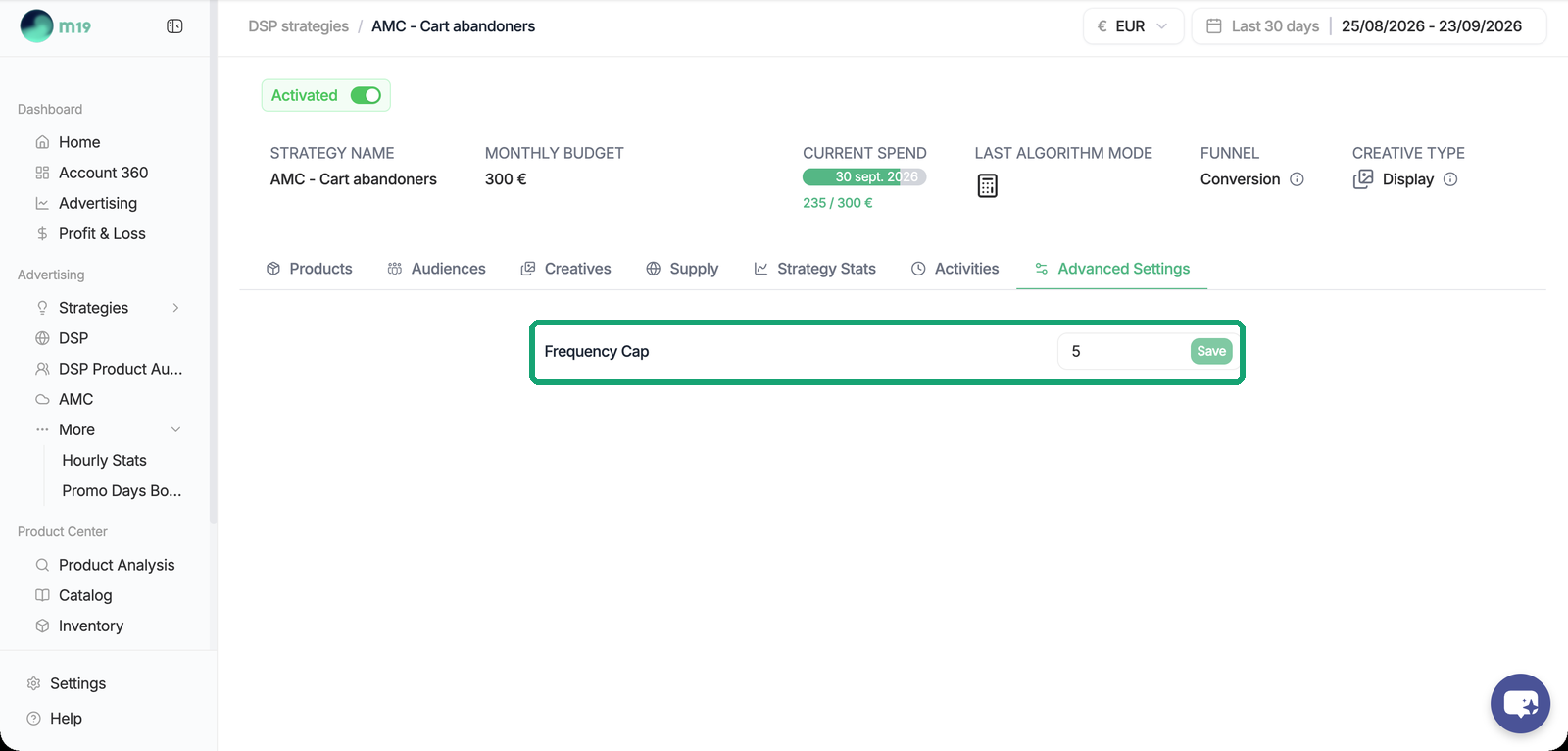
m19 builds the order and its line items within a day after activation and recomputes them daily. Activating a strategy starts the campaign on Amazon, pausing it stops it.
### Awareness strategies: Streaming TV and Prime Video
Choosing the Awareness funnel adds a Media step to the form.
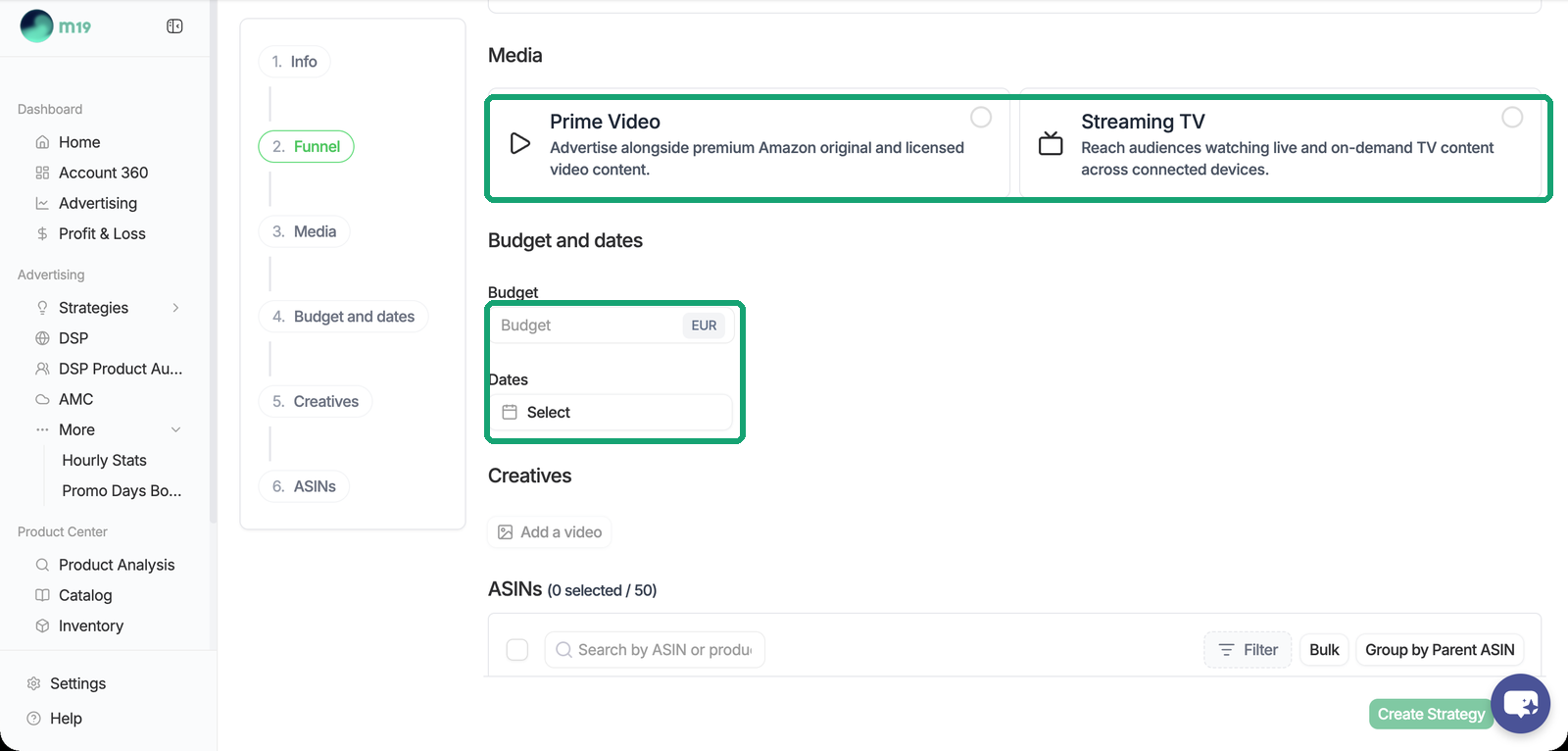
- **Streaming TV.** Video on Fire TV, Twitch, Freevee and third-party streaming publishers, bought in the open market. No deal to negotiate. Two supply toggles (Amazon Network, Third Party Exchange), no audience targeting: Amazon picks who sees the ad. Available on 22 marketplaces, including NL and SE. Amazon's Streaming TV creative specification decides the accepted video durations.
- **Prime Video.** Inventory sold only through deals. Deals are negotiated with your Amazon account manager; m19 reads the deals attached to your DSP advertiser and lets you pick one (content, accepted durations, CPM, maximum volume). Available on US, CA, MX, BR, UK, DE, FR, IT, ES and AU. The board rejects a video whose duration is not accepted by the deal.
- **Three kinds of deal.** Guaranteed: fixed price, volume and dates, nothing to bid, budget and dates fixed by Amazon. Preferred: fixed CPM and first look, m19 bids at the deal price. Private Auction: floor price, m19 bids at the floor with a cap at 1.5 times.
**Budget by flight.** Awareness strategies use a total budget with start and end dates. Amazon spends the budget in full over the flight, evenly paced, and the order pauses by itself when the flight ends. A new flight can be planned for the next event.
- [Admin ⚙️](https://help.m19.com/admin-%EF%B8%8F#main-content)
- [Account](https://help.m19.com/admin-%EF%B8%8F#account)
- [Billing](https://help.m19.com/admin-%EF%B8%8F#billing)
- [Getting Started 🚀](https://help.m19.com/getting-started#main-content)
- [M19 Encyclopedia](https://help.m19.com/getting-started#m19-encyclopedia)
- [Dashboard & Features 💻](https://help.m19.com/dashboard-features#main-content)
- [Strategies](https://help.m19.com/dashboard-features#strategies)
- [Products](https://help.m19.com/dashboard-features#products)
- [Metrics](https://help.m19.com/dashboard-features#metrics)
- [Traffic management](https://help.m19.com/dashboard-features#traffic-management)
- [Budget management](https://help.m19.com/dashboard-features#budget-management)
- [Events](https://help.m19.com/dashboard-features#events)
- [Tools](https://help.m19.com/dashboard-features#tools)
- [New Features](https://help.m19.com/dashboard-features#new-features)
- [Analysis & Performance Hub 🧠](https://help.m19.com/analysis-performance-hub#main-content)
- [Catalog](https://help.m19.com/analysis-performance-hub#catalog)
- [Strategies and campaigns](https://help.m19.com/analysis-performance-hub#strategies-and-campaigns)
- [Data wrangling](https://help.m19.com/analysis-performance-hub#data-wrangling)
- [Amazon Connections ⛓️](https://help.m19.com/amazon-connections-%EF%B8%8F)
- [Best practices 👑](https://help.m19.com/best-practices#main-content)
- [Advanced Strategies](https://help.m19.com/best-practices#advanced-strategies)
- [Analysis](https://help.m19.com/analysis)
- [Updates and New Releases](https://help.m19.com/updates-and-new-releases)
[](https://www.m19.com/)
Copyright © 2026, m19